Installing boot9strap (Soundhax)
Technical Details (optional)
关于本页所使用漏洞的技术细节,请见这里(Soundhax) 和这里(universal-otherapp)。
Compatibility Notes
Soundhax(和 universal-otherapp 一起使用时)与所有区域 1.0.0 至 11.3.0 系统版本的主机兼容。
What You Need
- The latest release of Soundhax (for your region, console, and version)
- If Soundhax appears in your browser as an unplayable video, press Ctrl+S or Cmd+S to save it to your computer
- The latest release of SafeB9SInstaller (direct download)
- The latest release of boot9strap (direct download)
- The latest release of Luma3DS (the Luma3DS
.zipfile) - The latest release of universal-otherapp (
otherapp.bin)
Instructions
Section I - Prep Work
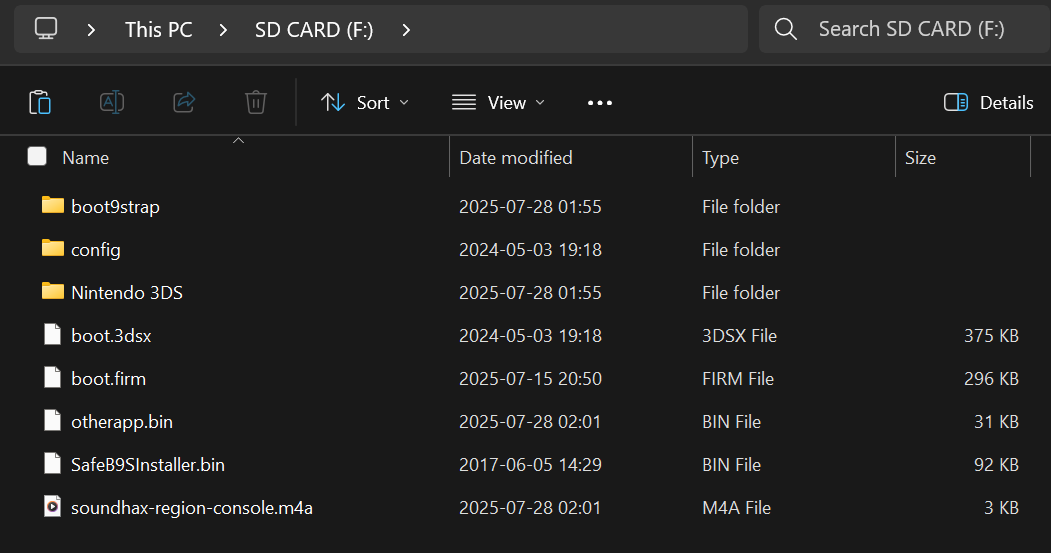
本节中,你将会复制一些触发 Soundhax 和 universal-otherapp 所需要的文件。
- 将主机关机
- 将你的 SD 卡插入到电脑
- 复制 Soundhax 的
.m4a文件到你的 SD 卡根目录下- The root of the SD card refers to the initial directory on your SD card where you can see the Nintendo 3DS folder, but are not inside of it
- 复制
otherapp.bin到你的 SD 卡根目录 - Copy everything from the Luma3DS
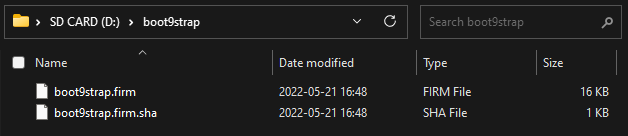
.zipto the root of your SD card - 在 SD 卡根目录创建一个名为
boot9strap的文件夹 - 从boot9strap
.zip文件中复制boot9strap.firm和boot9strap.firm.sha到你SD卡的/boot9strap/文件夹中 - 从 SafeB9SInstaller
.zip压缩包中复制SafeB9SInstaller.bin到 SD 卡根目录下 - Reinsert your SD card into your console
- Power on your console
INFO
INFO
Section II - Launching SafeB9SInstaller
本节中,你将通过 Nintendo 3DS 音乐程序启动 Soundhax,它将使用 universal-otherapp 启动 boot9strap(自制固件)安装程序。
启动 “任天堂 3DS 音乐(Nintendo 3DS Sound)”
INFO
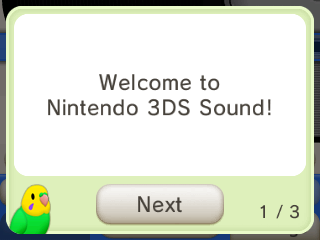
如果你从未启动过 “任天堂 3DS 音乐(Nintendo 3DS Sound)”,在启动后收到了小鸟的对话框提示,那么请完成所有的对话,然后关闭此软件再重新打开
- In this situation, launching Soundhax immediately would cause these tips to appear on every launch of the Nintendo 3DS Sound until this is done
进入
/sdcard,然后播放“< 3 nedwill 2016”- This may take many (up to 10) tries
- If you see the message "Could not play", you are either on a system version incompatible with Soundhax or downloaded the wrong Soundhax release
- If it freezes, force the console to power off by holding the power button, then try again
- If you get a different error, follow this troubleshooting guide
INFO
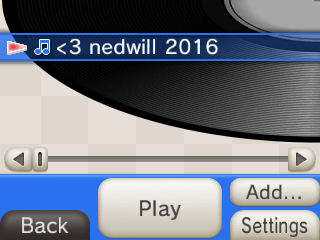
如果一切成功的话,你将自动进入 SafeB9SInstaller
Section III - Installing boot9strap
In this section, you will install custom firmware onto your console.
When prompted, input the key combo given on the top screen to install boot9strap
- If a step on the lower screen has red-colored text, and you are not prompted to input a key combo, follow this troubleshooting guide
Once it is complete, press (A) to reboot your console
你的主机应该会在开机后进入 Luma3DS 配置菜单
- Luma3DS 配置菜单是 Luma3DS 自定义固件的设置选项,其中包含许多可用于个性化或调试的功能
- 就本指南而言,请保留这些选项为默认设置(不要勾选或取消勾选任何内容)
- 如果您的主机在尝试开机时显示白色通知 LED 并随即关机,请确保已将 Luma3DS 的
boot.firm文件放置于 SD 卡的根目录下(该文件位于Luma3DSvX.X.X.zip压缩包内)
按下 “Start” 键保存设置并重启
此时,您的主机将默认启动到 Luma3DS。
- Luma3DS 的外观与普通的 HOME 菜单没有任何区别。如果您的主机已启动进入 HOME 菜单,则说明它正在运行自定义固件。
- 在下一页中,您将安装有用的自制应用程序以完成设置。
TIP
Continue to Finalizing Setup